Vibe Coding in 2026
I have been using various AI chat tools and have made good use out of them both for work as well as personal projects.
Late last year some talented folks who are experts in the field of LLMs, Machine Learning and AI developed a vibe coding tool called Code-Puppy. I started using this in December and oh boy, was I addicted?
So what is vibe coding and how is it different from AI Chat tools? Vibe coding takes developing tools, applications, dashboards to the next level. Whereas in AI chat tools, you can have a conversation and get an output of a SQL or Python code, but you won’t have a full application or workflow. Vibe coding tools are taking your productivity and creativity to the next level.
At work I have quite a few use cases for it. I had a basic knowledge of SQL before and had a general understanding of what tables to query to find data. However, I was unable to write complex SQL code for some complex data wrangling and analysis. Even with the help of AI Chat tools, the workload of copying the code and then using it in Bigquery was cumbersome and painful when confronted with errors. Vibe coding tools take the pain away as they are intelligent enough to iterate and think for themselves. Obviously their intelligence and competence depends on the LLM under the hood. We will discuss this a bit later.
Apart from Data Analysis and churning out some very useful dashboards, infographics etc, my Python coding skills have been severely boosted. For instance, I can work on multiple agents to look at large raw data sets and give me insights into customer experience, operational bottlenecks that were very difficult to assess on my own.
I was so hooked on to this new world that I wanted to bring this same experience to my personal tasks and projects. Luckily Code-Puppy has a public version for non Walmart business. Obviously you have to buy an LLM API. At this stage Claude Pro is ~CAD 28/month whereas the co-founder of Code_Puppy, Mike Pfaffenberger recommended an LLM called Z.ai for my use case. He gives some cool tips in this blog on his Github page for vibe coding on a shoestring budget. https://code-puppy.dev/pages/vibe-coding-cheap.html
All the details are on this Github page for installation and use of Code-Puppy. I have used some other tools like Gemini CLI & Claude Code but to be honest, Code-Puppy is warm and personable and I use its public version at home.
So what have I built with the tool? I have fed it immense information related to my credit card spend and received advice on where to rein in my spending. I have written code to look at weather trends here in Toronto, Canada and compared it to 100 year old data. I have also used data from Stats Canada to map out different demographics in different parts of Canada. Finally, being a Formula 1 fan, I looked at the data from the Australian GP and analyzed the car telemetric information. I then fed this raw data all within the vibe coding tool to connect with Google NotebookLM. Look at the results and how fabulous it is to have the ability to pull raw data for a race just a moment after the race has completed and be able to analyze. I am sure this is possible for so many other sports.
Disclaimer: The below example of personal work was coded using personal resources - Public version of Code-Puppy and using Z.AI GLM 4.7 API through a Code Lite subscription.
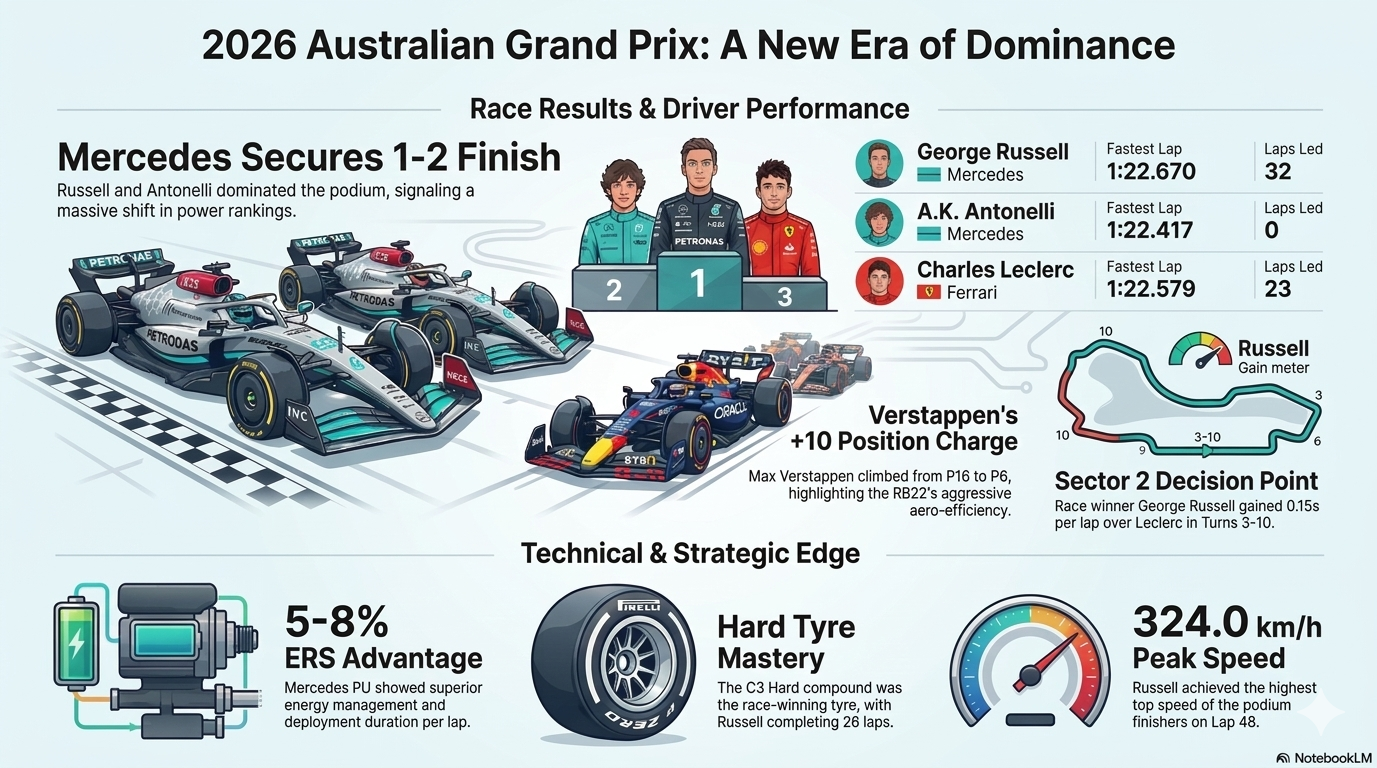
Using Vibe Code to pull Australia Formula 1 GP telemetry data and then invoking an infographic command to Google NotebookLM
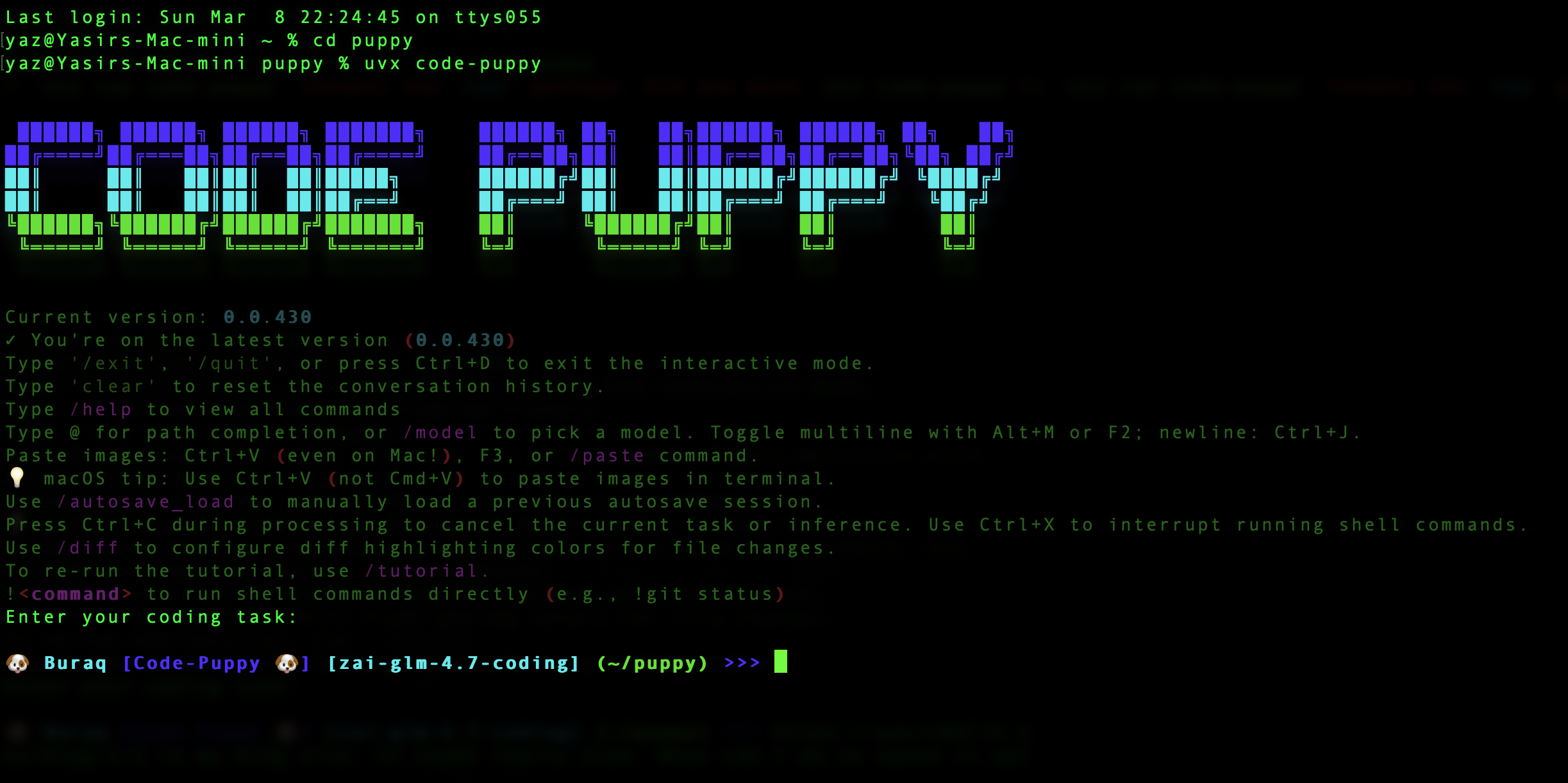
Public Version of the Code-Puppy that runs on my personal Mac Mini using Z.ai GLM 4.7 through a $30/year Coding Lite plan.
I hope that this post is an inspiration to you. If there is any interest then drop me a message and I can look at a demo Youtube video.